

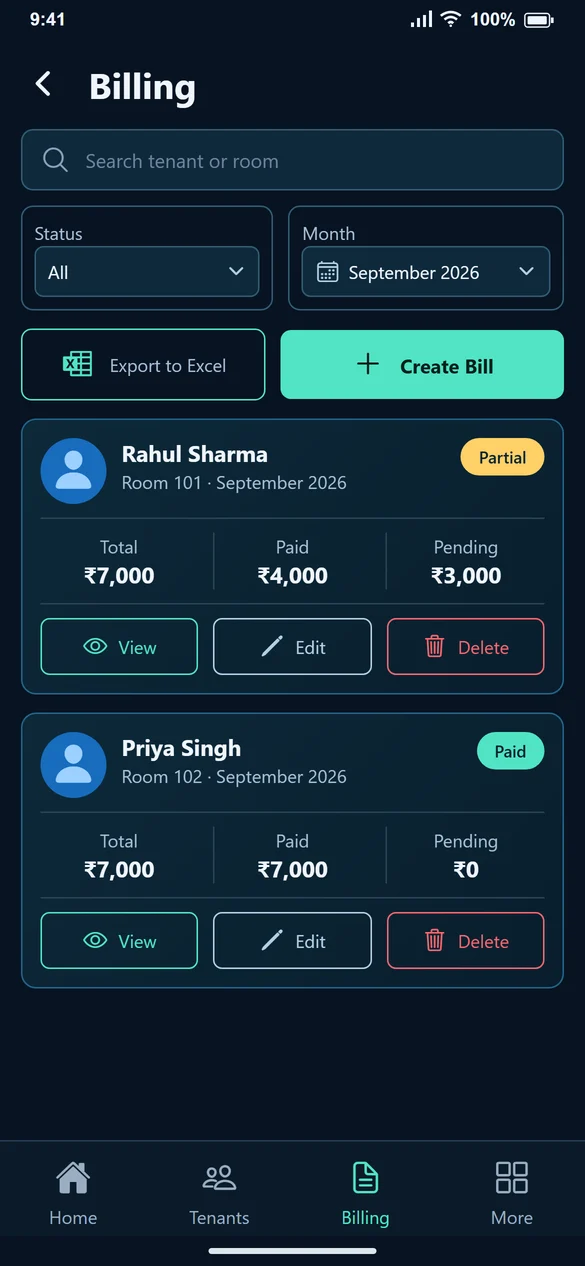
1. Decide what the report should answer
For September charges, select September bills. For money still pending, select the relevant unpaid or partial status. A bill-month report is not automatically the same as money received during that calendar month.
2. Set the filters
Use tenant or room search, month and status to narrow the list. Check the visible entries before choosing Export to Excel.
3. Check export availability
Report export depends on the selected plan. If the app shows a plan message, review the current Pricing page and the features included before buying or upgrading.
4. Review the downloaded file
Check a sample tenant, room or PG bed, bill month, rent and additional charges. Compare total, paid and pending values with View Bill. Do not interpret a bill’s total as a receipt.
5. Keep reports current
An exported file contains the records available when you downloaded it. If you record more payments or correct a bill afterwards, export again before sending the report to someone who needs the latest balance.
Common questions
Does the report replace payment verification?
No. It reports the records in your account. Verify incoming transfers before recording payment.
Why does my exported amount differ from an old file?
Payments or bill edits may have changed since the older export. Compare the filters and export date.
Can trial users always export?
Export availability depends on your plan. Check the plan details and any upgrade message in the app.